Compare multiple Bluetooth heart rate sensors in one session.
MultiHR helps researchers, coaches, and device testers connect multiple BLE heart rate monitors, visualize live curves, record synchronized sessions, and export research-ready data.



Built for real multi-device heart rate validation
MultiHR brings live comparison, export, and statistical analysis into one mobile workflow.
Multiple Device Support
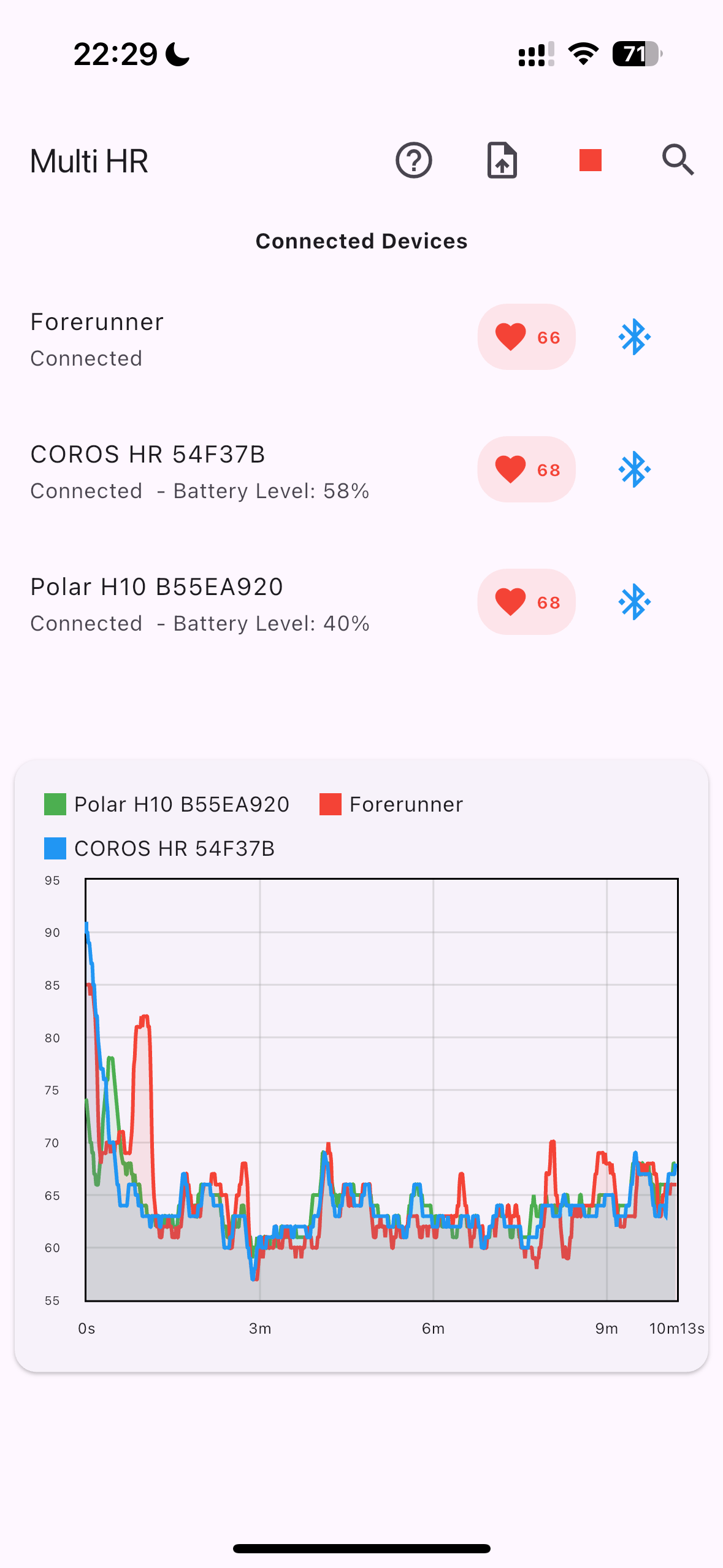
Connect and monitor multiple heart rate devices at the same time, including BLE sensors from Polar, Garmin, and other compatible vendors.
Real-time Visualization
Watch synchronized curves update live during a session so device drift and sudden drops are visible immediately.
Professional Analysis
Review Pearson correlation and Bland-Altman agreement results without leaving the app.
Data Export
Export recorded sessions to Excel or CSV for downstream analysis, reporting, or archive workflows.
Background Recording
Keep a session running while the app is in the background, subject to platform constraints and permissions.
Privacy-first Storage
Recorded heart rate data stays on the device unless you choose to export it yourself.
Research-oriented Design
The product is built for validation studies, sports science work, and hardware comparison sessions.
Broad Compatibility
Works with mainstream BLE heart rate devices that expose the standard 0x180D heart rate service.
Built around a real sensor comparison session
From connection to export, MultiHR keeps the core comparison steps in one workflow.
Connect multiple sensors
Scan for nearby BLE heart rate devices, connect the ones you need, and keep a reference device in the same session.
Record one synchronized session
Capture live heart rate from every connected device while watching the curves update in real time.
Export or analyze immediately
Open Pearson correlation, Bland-Altman analysis, or export the raw session to Excel or CSV.